-
Getting Started
-
Settings and Registers
-
Send Your Invoices
-
Learn More
Path to InExchange Network: Account\Profile
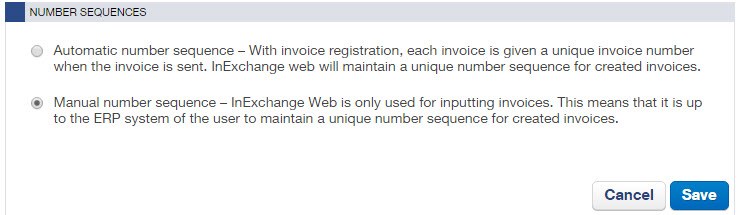
On the page Account > Profile, you can make settings for invoice number series. You can let the system assign invoice numbers to your invoices or enter it manually.
Scroll down to the section Number Series.
Click on the icon to select a number series.

Choose the option that suits you best and then save your settings.
Automatic Number Series
An invoice number is created by the system. You can choose prefix, length, and starting number in your account settings. Please note that the invoice number displayed during invoice registration (TD number) is only temporary. The actual number is set when the invoice is sent.
Manual Number Series
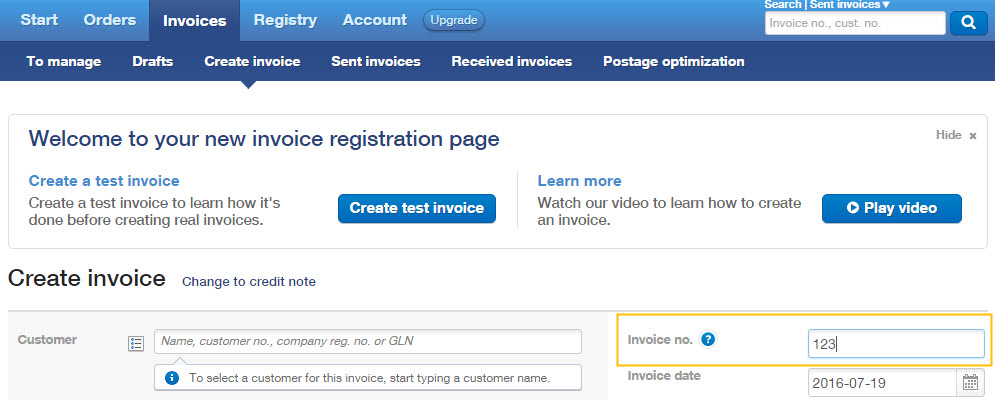
If you choose to use a manual invoice number series, you fill in the current invoice number on the page Create Invoice when the invoice is created. It can be a number that, for example, your business system has generated for the invoice.