-
Getting Started
-
Settings and Registers
-
Send Your Invoices
-
Learn More
When you send an e-invoice to a customer, the customer needs to be connected to the correct e-invoice recipient in our network. We have registered information about GLN and more for the recipient so that the invoice is directed correctly and in the invoice format they can handle.
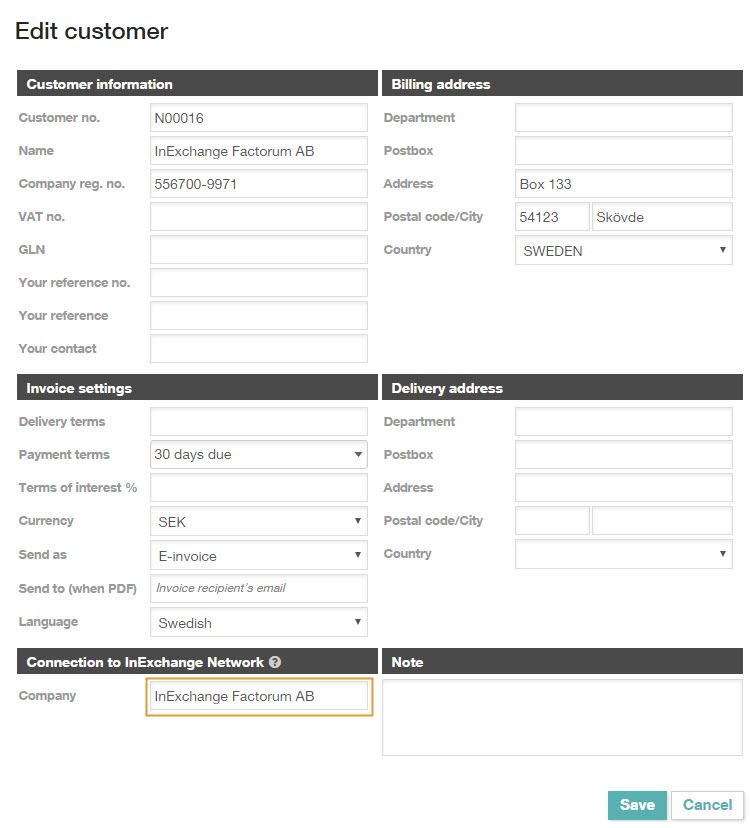
The network connection for a customer is made on the customer card under Register > Customers.
Fill in the company's organization number, and the recipient will be connected to the e-invoice recipient in the network. However, an organization can have different GLN for different departments, etc. Therefore, check that the network connection is correct when you set up a new customer. Here you can also update the information, for example, during a reorganization at the recipient's end.
If the invoice recipient is not yet registered in our network, you can register them as a new recipient by creating a support case (requires login with a valid user license).
Via InExchange Web Bas, you can send e-invoices to recipients who receive e-invoices through InExchange. To send e-invoices to other recipients, you need to upgrade your service.