-
Getting Started
-
Settings and Registers
-
Send Your Invoices
-
Learn More
Path to InExchange Network: Invoices\Create Invoice
Discount or Fee Applicable to the Entire Invoice
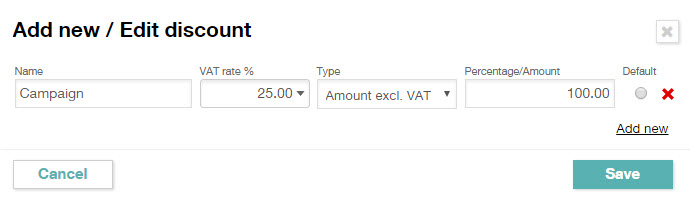
Click on Add Fee or Add Discount to add a fee or a discount that applies to the entire invoice.
Enter a name for the fee/discount, VAT rate, and amount excluding VAT or a percentage value. Then click Save.
Discount on an Invoice Line
A discount on a specific invoice line is indicated on the line with a percentage in the Discount% column.
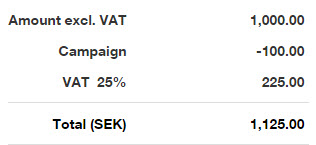
Fees and discounts applicable to the entire invoice are added to the total amount with the specified VAT rate. To remove a line from the invoice summary, click on the red cross (which appears when the mouse pointer hovers over the line) to the right of the relevant line as shown in the image below.